
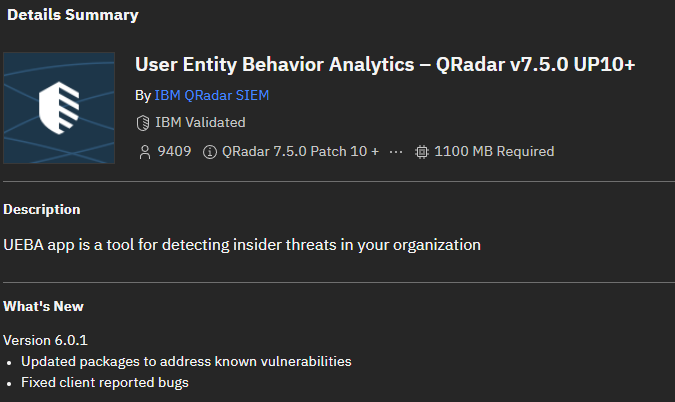
IBM QRadar User Entity Behavior Analytics (UEBA) is one of the most popular QRadar apps, adding features to traditional SIEM correlation by evaluating patterns of user and device activity over time. Rather than treating every alert in isolation, it combines detections into risk profiles that help analysts prioritize potentially compromised accounts, insider threats, and suspicious entities. It has come a long way in development since 2016, when the first version of this app was published.
What does UEBA add to QRadar?
UEBA uses events and flows already collected by QRadar. It rests on two foundations: risk scoring for users and entities, and identity unification across multiple accounts. The latter is particularly useful when an employee appears under different usernames in VPN, Windows, and application logs.
Useful data sources include authentication and account-change events, VPN and proxy activity, firewall and IPS logs, endpoint events, and SaaS audit trails. Coverage and detection quality depend on the available logs, normalized username fields, and enabled analytics.
How risk scoring works
- QRadar ingests an event containing a relevant username or entity context.
- An enabled UEBA-related rule detects a behavior and produces a sense event.
- UEBA reads the associated
senseValueand adds it to the user’s risk score. - As risk accumulates and crosses a configured threshold, the
UBA : Create Offenserule can generate an offense for investigation.
Risk scores can decay over time according to the configured hourly decay factor. A high score is a prioritization signal, not proof of malicious activity: analysts must review the supporting events and business context.
Practical use cases
- Compromised credentials: correlate unusual authentication patterns with subsequent suspicious activity.
- Insider threats: identify combinations of risky behaviors that might be innocuous individually.
- Account misuse: investigate dormant accounts that become active or unusual VPN access.
- Entity risk: monitor hosts and other discovered entities, not just named users, in newer UEBA releases.
Machine learning: optional, not automatic
The separate Machine Learning Analytics add-on provides behavioral baselines, time-series profiling, and clustering. It uses historical QRadar data to model normal behavior and identify anomalies. Installing UEBA alone does not activate every machine-learning analytic; you must install, configure, and allow models to establish a baseline.
Installation and initial configuration
- Verify the UEBA 6.0.1 package is compatible with your QRadar version, which must be at least QRadar 7.5.0 UP10.
- Review application memory, App Host capacity, and existing rule/search performance. IBM documents at least 1 GB of free application-pool memory for the app itself, while overall deployment requirements may be substantially higher.
- Download the extension from IBM Application Exchange and install it through Admin → Extensions Management.
- Enable the documented indexes:
High Level Category,Low Level Category,Username, andsenseValue; then deploy the full configuration. - Assign the required User Entity Analytics, Offenses, and Log Activity permissions to appropriate roles.
- Configure identity imports from Active Directory, LDAP, reference tables, or CSV, and validate risk-scoring rules and thresholds.
Operational recommendations
Start with a small, explainable set of use cases. Validate username extraction and identity mapping before interpreting risk rankings. Review rules in QRadar Use Case Manager, copy built-in rules instead of modifying originals, and calibrate senseValue weights to avoid noisy rules dominating the score. Measure the extra correlation and search load after deployment, and review offense quality regularly.
UEBA is most useful as a risk-based investigation layer on top of a well-tuned QRadar deployment—not as a substitute for good log coverage, correlation engineering, or analyst judgment.